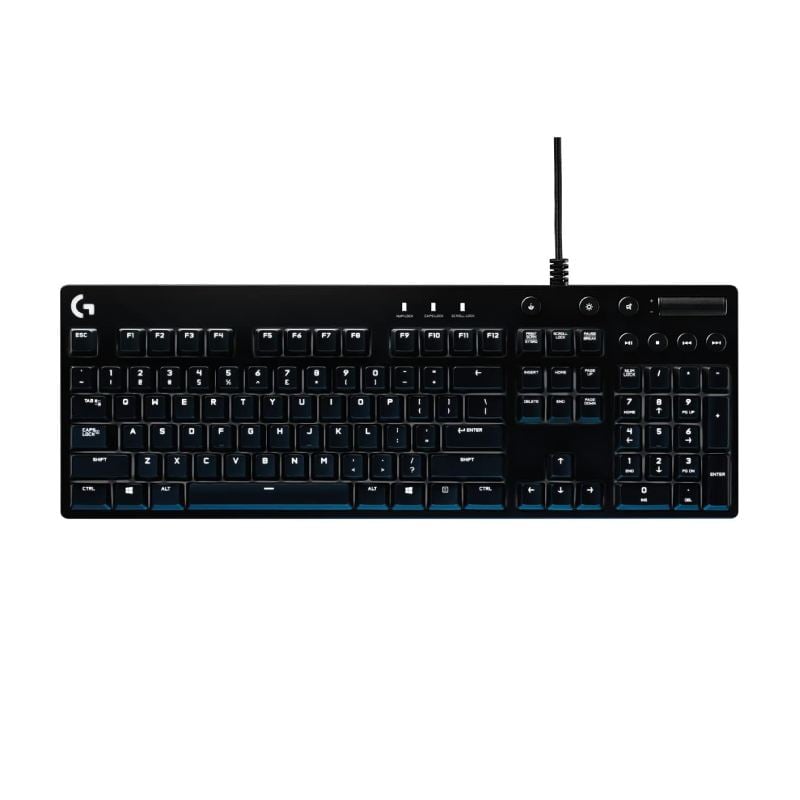
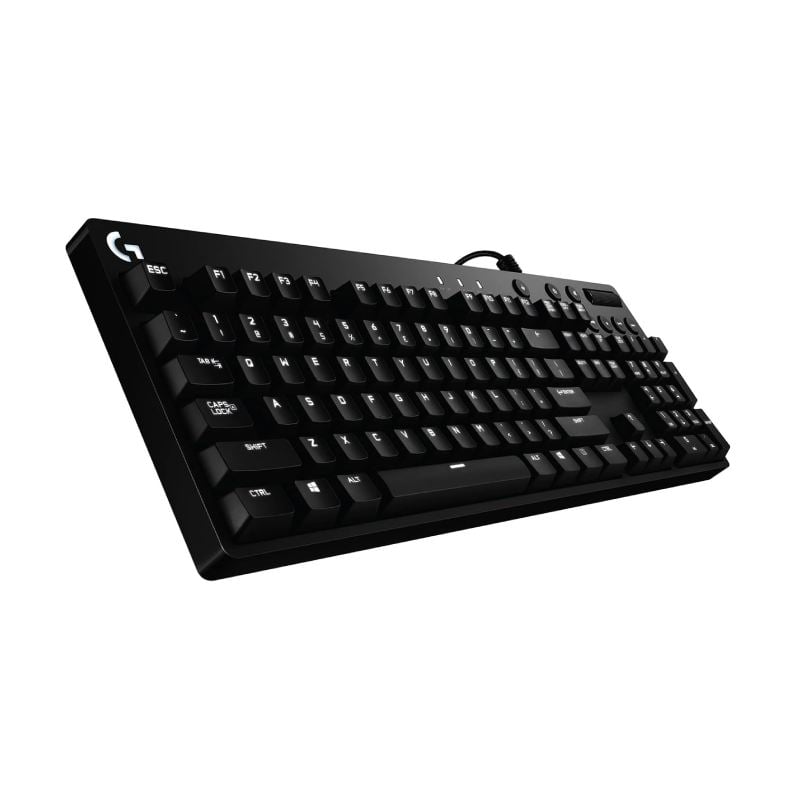
Logitech G610 Orion Blue, Mechanical Gaming Keyboard
Crafted for Gaming
From the finest details, like fingerprint-masking matte texture and durable braided cable, to the most complex, each aspect of Logitech G610 Orion Blue Gaming Keyboard is precisely engineered to bring Logitech G’s industry-leading technology and quality of construction to the uniquely crafted form.
Cherry MX Blue Mechanical Key Switches
Mechanical switches last longer and are more consistent in feel and responsiveness than rubber dome keyboards. Logitech G610 Orion Gaming Keyboard’s Cherry MX Blue switches have a tactile bump and an audible click for feedback while you type (Media controls do not use mechanical switches).
Customizable Lighting
Use Logitech Gaming Software to choose your level of customization with the ability to select and personalize each individual key light. Light up keys of your Logitech G610 Orion Blue Gaming Keyboard to keep track of spells and other commands. Logitech Gaming software can also synchronize light patterns with other Logitech G devices.
Easy-Access Media Control
Control your background track without switching out of your game. Logitech G610 Orion Blue Gaming Keyboard features dedicated media controls that can be used to play, pause, and mute music and videos instantly. Use the roller to adjust the volume, or skip to the next song with the touch of a button.
Customize With Logitech Gaming Software
With your Logitech G610 Orion Blue Gaming Keyboard customize your favorite games with custom button macros on F1-F12. You also get full control of per-key backlighting and can customize which keys are turned off when you turn on game mode (by default, Game Mode disables the Windows key).
26-Key Rollover
Multi-key input means complex moves can be executed exactly right every time. With Logitech G610 Orion Blue Gaming Keyboard’s 26-key rollover, you can press a huge number of keys plus modifier keys (Control, Alt, Shift) in any order and still get exactly what you intended.

🧰 General Overview
-
Model: Logitech G610 Orion Blue
-
Type: Backlit Mechanical Gaming Keyboard
-
Switches: Cherry MX Blue mechanical switches (tactile & audible click)
📏 Physical Specs
-
Dimensions:
• Height: 34.3 mm (1.4″)
• Width: 443.5 mm (17.5″)
• Depth: 153 mm (6″) -
Weight: Approx. 1259 g (44.4 oz)
-
Cable: Braided USB cable, ~1.8 m (6 ft)
🔌 Connectivity & Compatibility
-
Connection: Wired USB (USB‑A)
-
Protocol: USB 2.0 full‑speed
-
OS Support (at release): Windows 7 / 8 / 8.1 / 10
-
Software Support: Logitech Gaming Software (for key customization, macros, lighting)
⌨️ Key Features
-
Switch Type: Cherry MX Blue mechanical switches
• Tactile bump + audible click feedback
• Rated durable (Cherry MX switches typically ~50M keystrokes) -
Backlighting: White LED backlight (single color)
-
Key Rollover: 26‑key rollover (can register many simultaneous key presses)
-
Special Keys:
• Dedicated media controls (play/pause, mute, volume roller)
• Game Mode key (disables Windows key)
• Backlight toggle key
• Standard lock indicators (Caps, Num, Scroll) -
Macros: Customizable via Logitech Gaming Software (F‑keys)
🖥 Other Details
-
No Built‑In USB Hub ports
-
No LCD Display
-
Wrist Rest: Not included (optional accessory on some models)
-
Adjustable Tilt: Multiple angle adjustments for ergonomic typing/gaming angles (0°, ~4°, 8°)
Logitech G610 Orion Blue, Mechanical Gaming Keyboard
Crafted for Gaming
From the finest details, like fingerprint-masking matte texture and durable braided cable, to the most complex, each aspect of Logitech G610 Orion Blue Gaming Keyboard is precisely engineered to bring Logitech G’s industry-leading technology and quality of construction to the uniquely crafted form.
Cherry MX Blue Mechanical Key Switches
Mechanical switches last longer and are more consistent in feel and responsiveness than rubber dome keyboards. Logitech G610 Orion Gaming Keyboard’s Cherry MX Blue switches have a tactile bump and an audible click for feedback while you type (Media controls do not use mechanical switches).
Customizable Lighting
Use Logitech Gaming Software to choose your level of customization with the ability to select and personalize each individual key light. Light up keys of your Logitech G610 Orion Blue Gaming Keyboard to keep track of spells and other commands. Logitech Gaming software can also synchronize light patterns with other Logitech G devices.
Easy-Access Media Control
Control your background track without switching out of your game. Logitech G610 Orion Blue Gaming Keyboard features dedicated media controls that can be used to play, pause, and mute music and videos instantly. Use the roller to adjust the volume, or skip to the next song with the touch of a button.
Customize With Logitech Gaming Software
With your Logitech G610 Orion Blue Gaming Keyboard customize your favorite games with custom button macros on F1-F12. You also get full control of per-key backlighting and can customize which keys are turned off when you turn on game mode (by default, Game Mode disables the Windows key).
26-Key Rollover
Multi-key input means complex moves can be executed exactly right every time. With Logitech G610 Orion Blue Gaming Keyboard’s 26-key rollover, you can press a huge number of keys plus modifier keys (Control, Alt, Shift) in any order and still get exactly what you intended.

🧰 General Overview
-
Model: Logitech G610 Orion Blue
-
Type: Backlit Mechanical Gaming Keyboard
-
Switches: Cherry MX Blue mechanical switches (tactile & audible click)
📏 Physical Specs
-
Dimensions:
• Height: 34.3 mm (1.4″)
• Width: 443.5 mm (17.5″)
• Depth: 153 mm (6″) -
Weight: Approx. 1259 g (44.4 oz)
-
Cable: Braided USB cable, ~1.8 m (6 ft)
🔌 Connectivity & Compatibility
-
Connection: Wired USB (USB‑A)
-
Protocol: USB 2.0 full‑speed
-
OS Support (at release): Windows 7 / 8 / 8.1 / 10
-
Software Support: Logitech Gaming Software (for key customization, macros, lighting)
⌨️ Key Features
-
Switch Type: Cherry MX Blue mechanical switches
• Tactile bump + audible click feedback
• Rated durable (Cherry MX switches typically ~50M keystrokes) -
Backlighting: White LED backlight (single color)
-
Key Rollover: 26‑key rollover (can register many simultaneous key presses)
-
Special Keys:
• Dedicated media controls (play/pause, mute, volume roller)
• Game Mode key (disables Windows key)
• Backlight toggle key
• Standard lock indicators (Caps, Num, Scroll) -
Macros: Customizable via Logitech Gaming Software (F‑keys)
🖥 Other Details
-
No Built‑In USB Hub ports
-
No LCD Display
-
Wrist Rest: Not included (optional accessory on some models)
-
Adjustable Tilt: Multiple angle adjustments for ergonomic typing/gaming angles (0°, ~4°, 8°)